How to keep Wi‑Fi running in a power cut (UK)
The easiest backup-power win: most homes only need ~15–25W to keep the router (and often the ONT) alive.
We put the router-backup picks, runtimes and the always-on UPS setup in one guide:
Best battery backup for your wifi router →- Power both boxes: router + ONT/modem (FTTP usually needs the ONT powered too)
- Typical load: ~15–25W total
- Rule of thumb: 300Wh covers Wi‑Fi overnight for most homes
Cheapest route first: for a router alone, a mini UPS for around £55 is often enough; a power station makes sense for long outages or if you also want to charge phones and laptops.
What to buy (fast)
If you want a simple setup for power cuts:
Best under £500 Best overallQuickest ways to keep the Wi‑Fi on
Prices checked 9 Oct 14:00 UTC on Amazon UK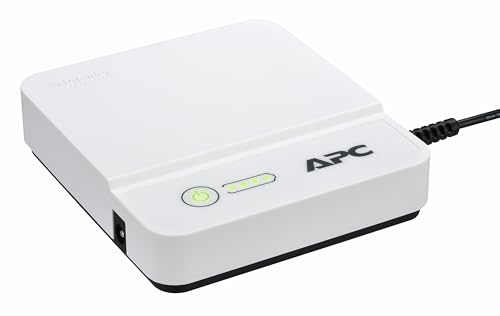 APC Back-UPS Connect 36WPlug-in router UPS. APC quotes up to 4 hours (12V routers)£60 on Amazon Best all-rounder
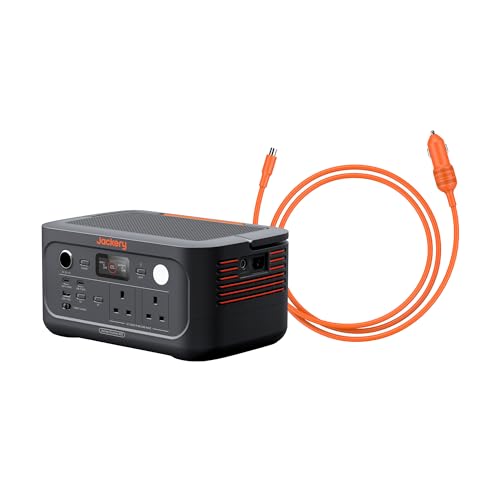 Jackery Explorer 500 v2512Wh and 5.7kg: the lightest of our picks£339 on Amazon More capacity
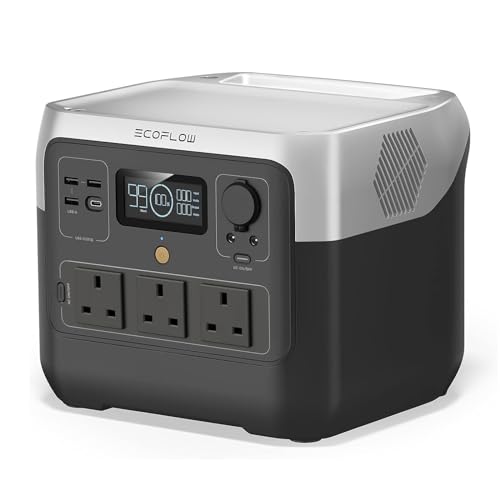 EcoFlow RIVER 2 Pro768Wh: router + ONT for about 34 hours (our estimate)£499 on Amazon
 3 ways to keep Wi‑Fi up (pick your vibe)
PCRFrom zero-faff to nerdy — choose based on how much you value convenience vs tinkering.
- Runs router + ONT + phone chargers
- Flexible for other essentials
- No reboot when the power drops
- Often shorter runtime per £
- Can work with the right adapters
- Easy to buy the wrong cable
Power cuts are annoying. Losing Wi‑Fi during a power cut is deeply personal.
The good news: keeping your internet up is usually one of the easiest backup-power wins, because your router doesn’t need much power.
This guide covers the simple setups that work in UK homes, what to plug in, and how to estimate how long it’ll last.
The first thing to understand: you might need to power two boxes
Depending on your setup, “the internet” might be:
- Router (Wi‑Fi box)
- Modem / ONT (the fibre/phone-line box)
If you’ve got full fibre (FTTP) you usually have an ONT (often a small Openreach box). If you don’t power the ONT, your router can be alive and cheerful… with nothing to talk to.
Quick test: look near where the fibre/phone line comes in. If there’s a second small box with lights, assume it needs power too.
Option A (recommended): a small portable power station
A portable power station (battery + inverter) is the easiest because it can run:
- router + ONT
- phone chargers
- a laptop
- a lamp
…and generally doesn’t involve you becoming an electrical engineer.
What size do you need for Wi‑Fi?
Typical power use: - Router: 8–15W - ONT/modem: 5–10W
Call it 20W total to be safe.
Rough runtime estimate: - Runtime (hours) ≈ (battery Wh × 0.8) ÷ load W
Example: - 256Wh power station → usable ~205Wh - 205Wh ÷ 20W ≈ 10 hours
So even a small unit can keep your internet up most of the day.
What to buy (quick rule)
- 300Wh-ish is plenty for router+ONT overnight
- 500Wh+ gives you headroom for charging phones/laptops without stressing
For pure Wi-Fi backup, the Jackery Explorer 500 v2£329–£339 since 6 Sep (512Wh) runs a router and ONT for 10+ hours with capacity to spare for phone charging. If you want a faster recharge in case power comes back briefly, the EcoFlow RIVER 2 Pro£329–£499 since 6 Sep (768Wh, £329) tops up in 70 minutes. See our full UK buying guide for all picks.
Option B: a UPS (Uninterruptible Power Supply)
A UPS is the thing offices use so computers don’t instantly die.
Pros: - Instant switchover (no reboot) - Usually great for router+ONT
Cons: - Often noisy (fan) or beepy - Runtime is usually shorter for the money - Some models output a “stepped” waveform that fussy adapters don’t love
If you want “zero faff” and you only care about internet, a UPS can be ideal.
Option C: USB‑C / DC backup (only for nerds)
Some routers can run from DC barrel jacks or USB‑C, and you can use a big USB power bank — see our airline-safe travel power banks.
It can work. It can also turn into an afternoon of adapters and regret.
If you’re not sure, skip this and use a power station.
Practical tips (things that trip people up)
1) Your Wi‑Fi name might still appear even if the internet is down
Your router can broadcast Wi‑Fi even if the ONT/modem is dead.
So if the kids shout “Wi‑Fi’s back!”, that may just mean the router has power.
2) During a big outage, your ISP equipment may go down too
If there’s a wider network outage, powering your gear won’t magically revive the street cabinet.
Still worth doing, because short local outages are common.
3) Put the router + ONT on one extension lead
Plug both into the backup power via one extension lead so you don’t forget one.
4) Keep a cheap LED lamp nearby
Wi‑Fi in a dark house is a bit bleak. A small LED lamp makes the whole setup feel… less apocalyptic.
Quick checklist
- [ ] Identify whether you have router only, or router + ONT/modem
- [ ] Add up watts (or assume ~20W)
- [ ] Choose backup: power station or UPS
- [ ] Test it once (seriously — don’t discover a problem mid-storm)
Next reads
- Best portable power stations for UK power cuts (2026): /best-portable-power-stations-uk/
- Can a power station run a fridge? (UK): /can-a-power-station-run-a-fridge/
Some links on this page are affiliate links. This means we may earn a commission if you buy through them, at no extra cost to you.
Our top picks for keeping Wi-Fi running in a power cut
PCR pickA portable power station is the most reliable solution. These are the two we recommend most for UK homes.
Runs a router + ONT for 15-20 hrs. 768Wh, 800W output, charges in 70 min. The most reliable pick for home Wi-Fi backup.
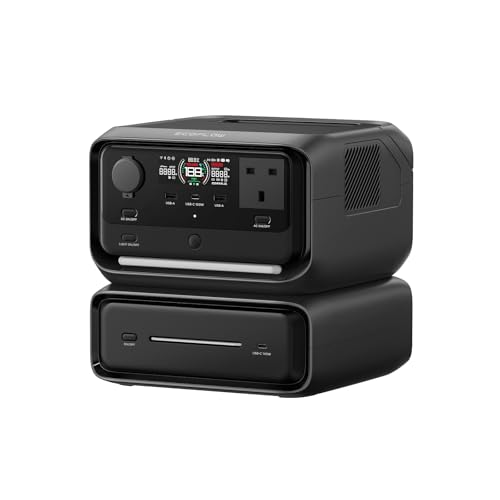
572Wh with a 10ms UPS switchover, so the router doesn’t drop when the power does. Runs router + ONT for 15+ hrs. Our value pick — tap for today’s price.
Out of stock on Amazon UK right now. In stock instead: EcoFlow RIVER 2 Pro, 768Wh, a bigger battery – £499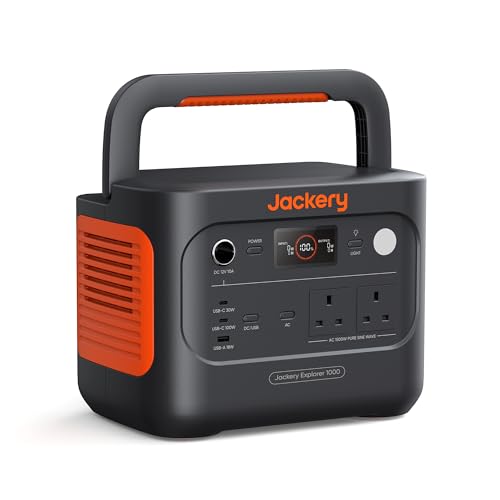
1,024Wh, 2,000W pure sine output, 49-min recharge. Ideal if you also want to run a TV or laptop alongside your router.
Prices change frequently on Amazon — tap any Check price button to see today’s price. All available on Amazon UK with Prime delivery.
Common UK router and ONT wattages
Knowing your exact draw helps you size the battery correctly. Most UK home setups are well within what a small power bank or power station can handle.
| Device | Typical watts | 8-hour draw |
|---|---|---|
| BT Smart Hub 2 | 12W | 96Wh |
| Virgin Media Hub 5 | 18W | 144Wh |
| Sky Hub (Q) | 10W | 80Wh |
| Plusnet Hub One | 8W | 64Wh |
| EE Smart Router | 12W | 96Wh |
| Openreach ONT (fibre box) | 5–10W | 40–80Wh |
| Mesh node (e.g. Eero, TP-Link Deco) | 10–20W each | 80–160Wh each |
Running two devices (router + ONT) typically adds up to 15–30W total. A 200Wh power bank keeps this running for 6–10 hours; a 500Wh power station covers a full day comfortably.
UPS vs power station: which is better for Wi-Fi?
A UPS (Uninterruptible Power Supply) is designed specifically for this kind of task — seamless switchover with zero gap when mains power drops. A portable power station is more versatile but usually has a small switchover delay (20–30ms for most models, though EcoFlow's EPS mode can get to under 30ms).
| UPS | Portable power station | |
|---|---|---|
| Switchover | Instant (0ms) | 20–30ms (router usually stays connected) |
| Runtime at 20W | 1–3 hrs typical | 6–50 hrs (depends on size) |
| Portability | Fixed — stays plugged in | Use anywhere, take camping |
| Price (entry) | £40– | £150–£300+ |
| Other uses | Wi-Fi / NAS / modem only | Phones, laptops, lights, fridge |
| Battery replacement | Every 3–5 years (£20–40) | LFP: 10+ years |
Verdict: if all you want is to keep Wi-Fi up, a UPS like the APC Back-UPS 400VA (£50–70) is the cheapest and simplest solution. If you want Wi-Fi and everything else covered during a power cut, a portable power station does both jobs and costs less than buying two separate devices.
What happens to broadband during a major power cut?
This is worth understanding before you invest. Powering your own router is only half the picture. The signal has to get from your ISP's equipment to your home.
- FTTC (Fibre to the Cabinet) — BT, Sky, Plusnet, EE: The green street cabinet has battery backup, typically lasting 4–8 hours. If the outage affects the wider exchange, your broadband may go down regardless of whether your router is powered.
- FTTP (Full fibre — Openreach, Virgin, Hyperoptic): The ONT in your home requires power. The fibre itself is passive and resilient, but if your street's local distribution point loses power, you lose connectivity.
- 4G/5G mobile broadband: Mobile masts have battery and generator backup and generally stay live longer than fixed-line infrastructure during localised outages. A 4G router or mobile hotspot is a practical fallback for extended outages.
Bottom line: powering your router is worth doing for short outages (under 4 hours) where the ISP infrastructure stays live. For extended outages, have a mobile data plan as a fallback.
FAQ
PCRQuick answers to common questions.