Best battery backup for your wifi router (UK 2026)
Your broadband survives most power cuts — it’s the router in your house that goes dark. A small battery fixes that for a day or more of runtime. Here’s the maths, the setup that makes the wifi never even blink, and the three units we’d use.
Our three picks at today’s prices
Prices checked 30 Oct 14:00 UTC on Amazon UK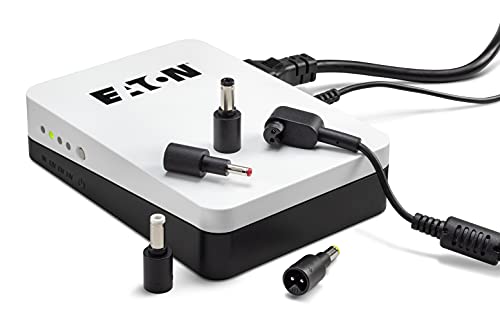 Eaton 3S Mini DC UPSMini UPS for the router. Eaton quotes 40 min to 5+ hours£55.99 on Amazon Router + ONT on one unit
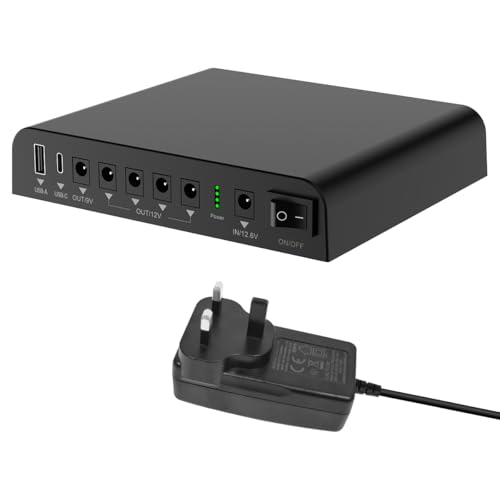 TalentCell Mini UPS 99.9WhRouter and ONT on one unit: about 7 hours at 12W (our estimate)£79.99 on Amazon Best for most homes
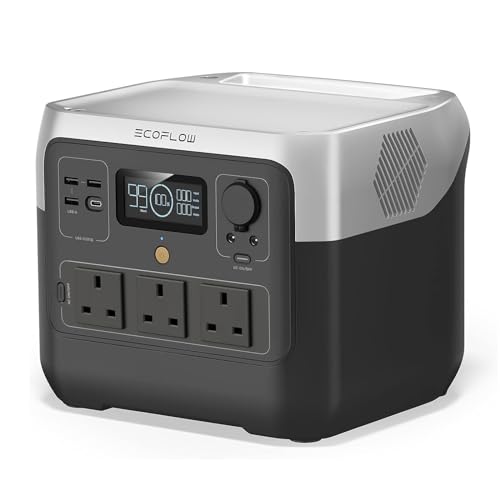 EcoFlow RIVER 2 Pro768Wh: router + ONT for about 34 hours (our estimate)£499 on Amazon
 What your broadband actually needs
A typical UK router draws 8–15W. A full-fibre ONT adds 5–10W. Call it 20W worst case for the whole broadband stack — which means even a small battery keeps you online for hours:
| Battery size | Router + ONT (~20W) | + laptop & phone charging |
|---|---|---|
| 256Wh | ~11 hours | ~4 hours |
| 512Wh | ~23 hours | ~9 hours |
| 572Wh | ~26 hours | ~10 hours |
| 768Wh | ~34 hours | ~14 hours |
And yes — your broadband usually stays up in a power cut: the street cabinet and exchange have their own battery backup. The weak link is the router in your house. (Full explanation in our keep-wifi guide.)
Cheapest option: a mini UPS (about £55–£110)
If all you want is for the broadband to stay up through a typical power cut, you don’t need a power station. A router and ONT usually draw well under 20W, and a small UPS sits permanently between the plug and the router, switching over the instant the power goes. The catch is compatibility: DC mini UPSs plug into the router’s own power socket, so check its voltage and plug size (printed on the power adapter) before buying.
Eaton 3S Mini (36W DC)
A compact DC UPS from a major UPS maker, with switchable output voltage and four connector sizes, so it fits most routers.
Eaton quotes 40 minutes to more than 5 hours depending on load. One DC output, so full-fibre homes with a separate ONT need a second unit or a mains UPS.
£55.99 on Amazon UK£51.29–£55.99 since 26 Sep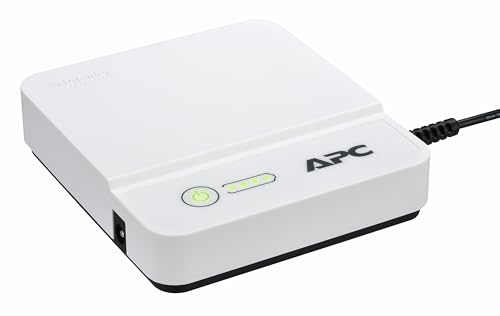
APC Back-UPS Connect CP12036LI
APC’s router UPS: plug in, connect the router, done. LED shows battery level.
APC quotes up to 4 hours. 12V only, so check your router runs on 12V DC.
£61.70 on Amazon UK£47.77–£61.70 since 26 SepTalentCell Mini UPS 99.9Wh
Several DC outputs means the router and a full-fibre ONT can both run from one battery.
Our calculated estimate: about 7 hours at a combined 12W (99.9Wh × 0.85 ÷ 12W). Less-known brand than Eaton or APC.
£79.99 on Amazon UK£70.99–£80.99 since 26 Sep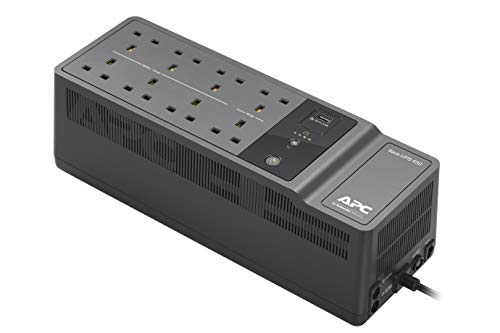
APC Back-UPS ES BE650G2-UK
A traditional mains UPS: your router, ONT and phone base plug straight in with their normal plugs, so there’s nothing to match.
Lead-acid battery, bigger and louder than the DC units. Good choice if you also want to protect a PC or the landline base station.
£106.93 on Amazon UK£95.19–£113.38 since 26 SepRuntimes from manufacturers are their own figures; ours are calculated estimates, not measurements (how we work these out). For outages lasting many hours, or to charge phones and laptops too, a power station is the better tool — picks below.
The best router backup options
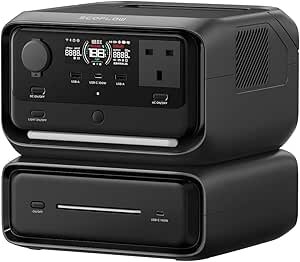
EcoFlow RIVER 3 Max
Enough battery to ride out even a long rural outage with the router, phone charging and a lamp running, small enough to live under the desk, and its 10ms switchover UPS mode means you can leave the router plugged through it permanently — when the power drops, the wifi doesn’t even blink.
That pass-through UPS trick is the reason we recommend a small power station over a traditional computer UPS: you get the same always-on protection, plus a battery you can take camping, and no lead-acid battery to replace every three years.
Out of stock on Amazon UK right now. In stock instead: EcoFlow RIVER 2 Pro, 768Wh, a bigger battery – £499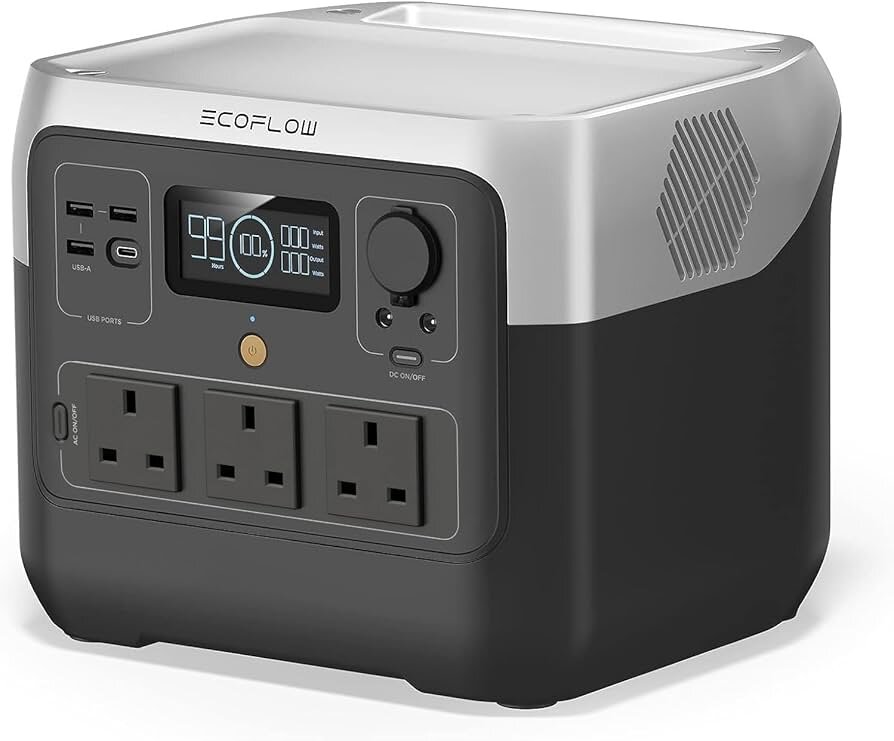
EcoFlow RIVER 2 Pro
The extra 200Wh and 800W output turn a router-backup unit into whole-outage cover: broadband, fridge top-ups, the kettle via X-Boost. If a power cut means working from home must continue, this is the sensible size.
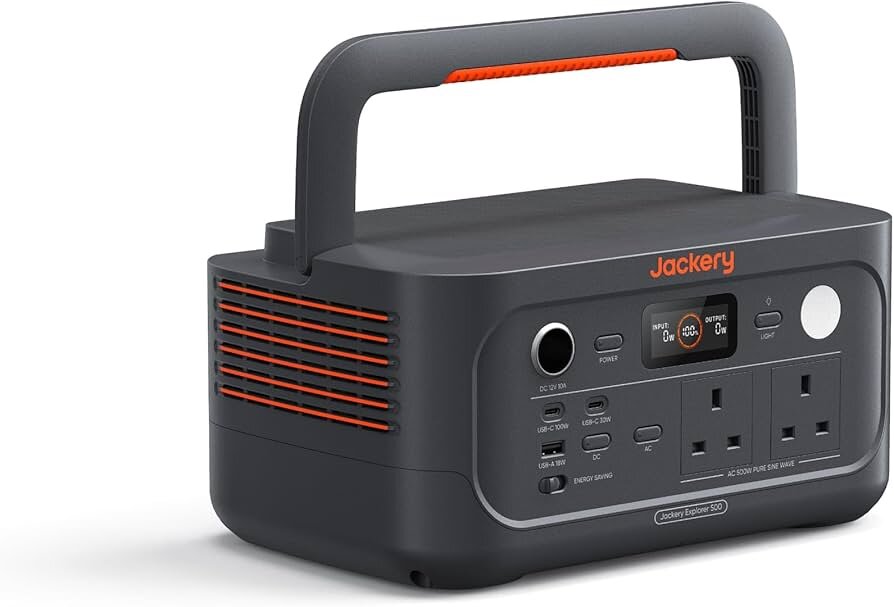
Jackery Explorer 500 v2
Lighter and slightly smaller than the RIVER 3 Max with nearly the same runtime. It lacks the instant UPS switchover, so it’s best kept charged on standby rather than inline — a 30-second swap when the lights go out.
Setting it up so the wifi never drops
1. Plug the router (and ONT if you have full fibre) into the power station’s AC sockets, and the power station into the wall. Units with UPS/pass-through mode (like the RIVER 3 Max) run mains through to the router while keeping the battery full.
2. Label the sockets — in a real outage at night you don’t want anyone unplugging the router to charge a phone. Use the USB ports for phones instead.
3. Test it: flip the socket switch off and check the wifi stays up. Do this once a season.
4. Keep 20–30% battery as a floor. Router-only draw is tiny, but the temptation to run the TV off it during a long cut is real.
Pair it with our power cut checklist and a quick check of who your DNO is and a winter outage becomes an inconvenience instead of a lost workday.
Frequently asked questions
Does broadband keep working in a power cut?
Usually yes. Full-fibre and cable networks have battery backup at the street cabinet and exchange — the equipment that dies is the router and ONT in your home. Power those two and you're back online. Copper landline phones are being retired, so battery-backing the router matters more each year.
Can I use a normal computer UPS for my router instead?
You can, but a small LiFePO4 power station is better value for UK homes: 5–10x the battery capacity, no lead-acid replacement every few years, silent, and usable for camping or other outages. A traditional UPS only wins if you need to protect a desktop PC from instant cuts too.
How long will a power station run a wifi router?
Router plus full-fibre ONT draw about 15–20W combined, so a 572Wh unit runs them for roughly 24–26 hours, and a 768Wh unit for around 34 hours — longer than the vast majority of UK power cuts, which are measured in minutes to hours.
Should I leave the router permanently plugged into the power station?
If the unit has UPS/pass-through mode with fast switchover (the RIVER 3 Max does), yes — that's the whole point: mains passes through, the battery stays full, and an outage never interrupts the wifi. Units without that mode are better kept on standby and swapped in when needed.
Prices change frequently on Amazon — tap any Check price button to see today’s price. Some links are affiliate links; we may earn a commission at no extra cost to you.